ChatGPT for small business isn't about robots running your company. It's about getting time back on the small writing jobs that pile up. ChatGPT can draft a review reply, a job ad or a plain-English quote in under a minute. You check it, fix it and send it.
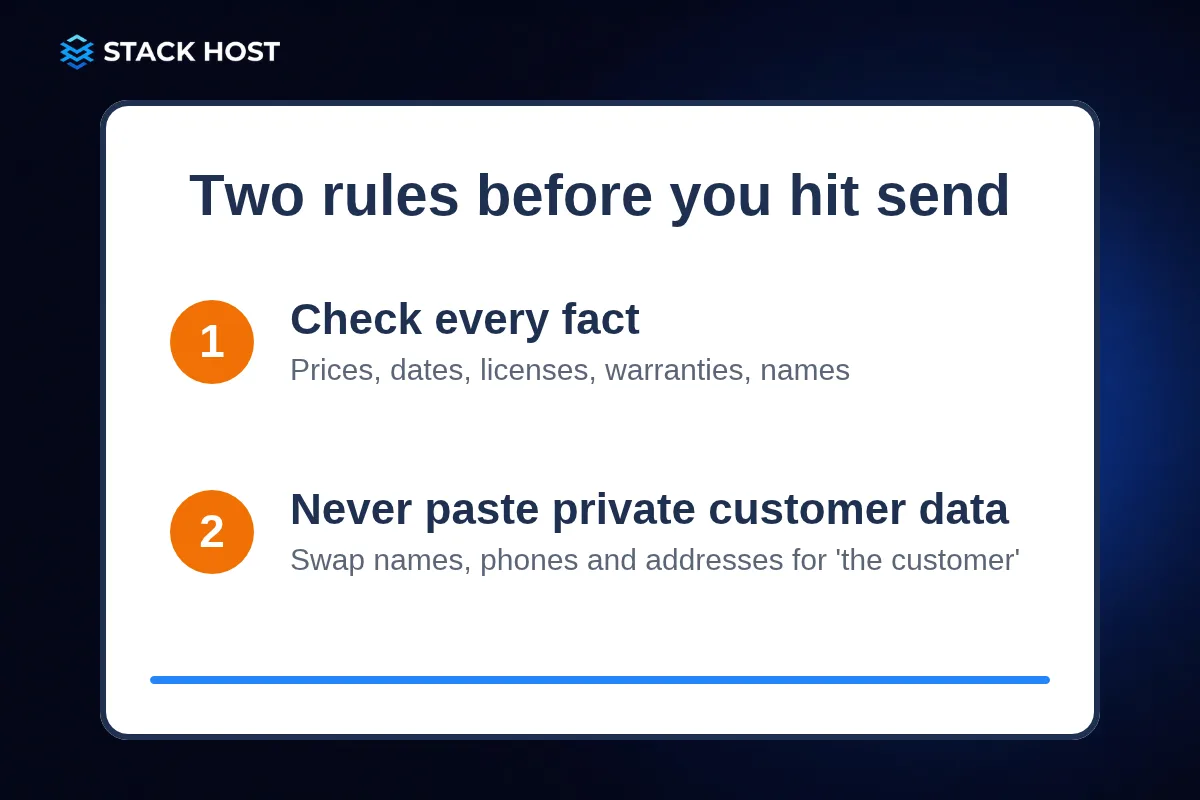
This guide gives you eight everyday uses for a service business, with prompts you can copy. It also covers the two rules that keep you out of trouble: check every fact, and never paste private customer data.
What ChatGPT for small business is good at, and what it isn't
ChatGPT is a writing helper. You type a request, and it writes a draft.
It's good at first drafts. It can reword, shorten, turn rough notes into tidy sentences and change the tone of a message. It does this fast, and it never gets tired of rewrites.
It doesn't know your prices, your service area or your customers unless you tell it. It can also sound sure of itself and still be wrong.
Think of it as a fast new office helper. It's quick and eager, and everything it writes needs checking before it goes out.
Other AI tools for small business, like Google's Gemini and Microsoft Copilot, work much the same way. The prompts in this guide work in them too.
Two rules before you start
Rule 1: Check every fact
ChatGPT fills gaps with guesses. Ask it to write about your warranty, and it may invent one. Ask about a local permit rule, and it may give you one that sounds right but isn't.
The fix: give it your facts in the prompt instead of asking it to supply them. Then read every draft for prices, dates, licenses, warranties and names. If you didn't type a fact in, don't trust it on the way out.
Rule 2: Never paste private customer data
What you type into an AI tool leaves your computer. Don't paste customer names, phone numbers, home addresses, card numbers, account details or health information. Don't paste a whole email thread with a customer's details in it either.
The fix: swap real details for placeholders like "the customer", "[address]" or "Job A". ChatGPT doesn't need them to write a good draft. Fill them back in yourself before you send. If staff use AI tools, put this rule in writing for them too.
How to ask so you get a useful answer
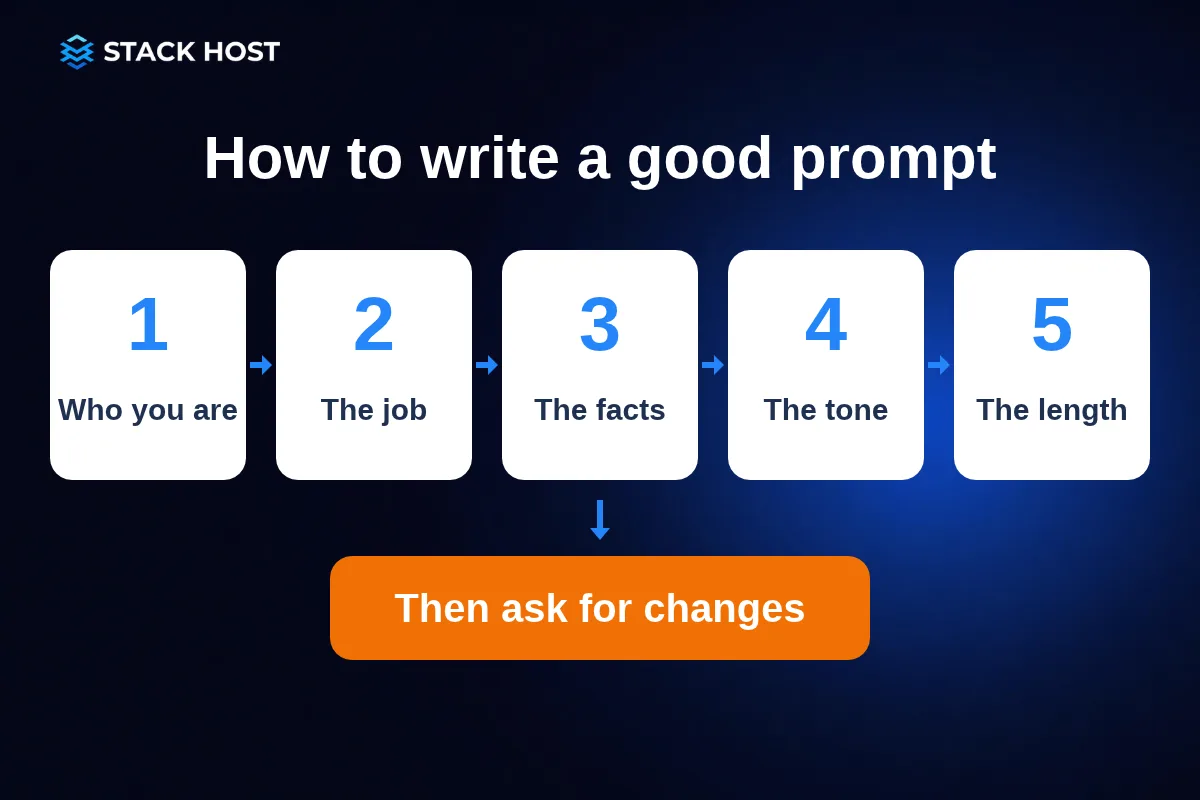
Vague requests get vague answers. "Write a review reply" gets you something bland. Give ChatGPT five things instead:
- Who you are. "I own a small heating and air company."
- The job. "Write a reply to a Google review."
- The facts. What the review said and what really happened.
- The tone. Friendly, calm, plain, no jargon.
- The length. "Three sentences or fewer."
Then ask for changes. "Shorter." "Less formal." "Sound more like a person." "Give me three versions." Each rewrite takes seconds.
8 practical uses that save time
1. Reply to Google reviews
Replying to every review shows customers you care. Google suggests replies stay short, polite and helpful. It explains how in its help page on reading and replying to reviews.
Copy this prompt:
"I own a small [type of business]. Write a short, friendly reply to this Google review. Thank them by first name only, mention the service they had, and invite them back. No more than three sentences. Review: [paste the review text]."
For a bad review, add: "Stay calm. Don't argue or blame the customer. Say we'd like to make it right and ask them to call us."
The fix: read every reply out loud before you post it. If it sounds like a form letter, ask for a warmer version or add one real detail yourself. Dealing with a review that breaks the rules? See how to remove a bad Google review, and what to do when you can't.
2. Write a job description
Hiring a driver, technician or line cook means writing an ad. Most owners put it off. ChatGPT can turn your notes into a clear ad in a minute.
Copy this prompt:
"Write a job ad for a [job title] at a small [type of business] in [town]. Duties: [list]. Must have: [license, experience]. Hours: [hours]. Pay: [range]. Keep it plain and friendly, under 250 words, with a short list of duties."
The fix: check that pay, hours and requirements match what you'll really offer. Hiring rules vary by state and city. If you're unsure what an ad must or must not say, check with your state's labor department.
3. Turn phone questions into website FAQs
You answer the same questions every week. How soon can you come out? Do you need to be home? What size dumpster do I need? Those answers belong on your website.
Copy this prompt:
"I run a [type of business] in [area]. Here are questions customers ask on the phone, with my rough answers: [paste notes]. Turn them into a website FAQ. Short, plain answers of two or three sentences each."
The fix: use your own answers as the input, not ChatGPT's guesses. Then check each answer against how you really work. Clear FAQs also help Google and AI tools understand what you do.
4. Explain a quote in plain words
Customers often say no to a quote they don't understand. Line items like "condensate line" or "underlayment" mean little to most people.
Copy this prompt:
"Rewrite this quote summary so a homeowner with no trade knowledge understands it. Explain each item in one short sentence. Don't change any prices or quantities. Quote: [paste line items, with no customer details]."
The fix: compare the plain version with your original, line by line. Make sure every price, quantity and item is the same. Never let ChatGPT do the math for a quote. Use your own figures.
5. Write follow-ups and reminders
Short messages eat time. Appointment reminders, "we're running late" texts and "did you get our quote?" emails all add up.
Copy this prompt:
"Write five short text messages for a [type of business]: an appointment reminder, a running-late notice, a quote follow-up, a thank-you after the job and a review request. Friendly, under 40 words each. Use [name] and [time] as placeholders."
The fix: save the best versions as templates in your phone or booking software. You write them once and reuse them for months.
6. Outline a service page
A blank page is the hardest part of writing your website. ChatGPT can give you a starting outline.
Copy this prompt:
"I offer [service] in [towns]. Suggest an outline for a service page. Include the questions customers usually ask before booking. Headings only, with one line about what goes under each."
The fix: use the outline, then fill it with your own details. Add real prices or ranges, your service area, photos of your work and your reviews. Those are the things a generic draft can't supply.
7. Plan a month of posts
Posting on social media or your Google Business Profile is easier with a plan.
Copy this prompt:
"Give me eight short post ideas for a [type of business] in [season]. Mix tips, seasonal reminders and behind-the-scenes ideas. One line each."
The fix: pick the ideas you like and add a real photo from your own jobs to each post. Real photos show customers who will turn up, which stock images can't do.
8. Make your own writing clearer
Sometimes you've written the email already, but it's too long or too sharp.
Copy this prompt:
"Make this message shorter and friendlier. Keep the meaning the same. [paste your message, with names removed]."
The fix: keep your own voice. If the rewrite sounds unlike you, ask for "plainer and more casual" or keep your first version.
Where ChatGPT causes problems, and the fix
| Task | Good fit? | What you must check |
|---|---|---|
| Review replies | Yes | Tone, and no made-up promises |
| Job ads | Yes | Pay, hours, requirements |
| Website FAQs | Yes, from your notes | Every answer matches how you work |
| Plain-English quotes | Yes | Every price and quantity |
| Writing reviews | No | Never do this |
| Legal or tax answers | No | Ask a professional |
Writing fake reviews
Never use AI to write reviews for your own business, or about a competitor. In the US, the Federal Trade Commission has a rule that bans fake reviews and testimonials, including ones made with AI.
The fix: use ChatGPT to write the request for a review instead. Send it to every real customer after a job, not only the happy ones. Google's rules for reviews don't allow asking only for positive reviews.
Thin, copied web pages
Pasting AI drafts straight onto your website gives you pages that sound like everyone else's. Google says it rewards helpful, original content however it's made. It explains this in its guidance on AI-generated content. Pages made mainly to game rankings are against its rules.
The fix: treat AI drafts as a start. Add what only you know: local details, real prices, your process, your photos.
Promises you can't keep
AI drafts love phrases like "same-day service" or "lifetime guarantee". If you don't offer them, they shouldn't be there.
The fix: search each draft for words like "guarantee", "always", "free" and "same-day". Delete anything that isn't true for your business.
What does ChatGPT say about your business?
There's another side to ChatGPT for business owners. Your customers use it too. They ask it things like "who's a good roofer near me?" or "best portable toilet rental for a wedding".
Try it yourself. Ask ChatGPT, Gemini and Perplexity about your type of business in your town. See whether you come up, and whether what they say is right.
The fix: keep your website, Google Business Profile and listings clear, accurate and matching. We check what AI tools say about local businesses as part of our AI search optimization work, in plain-English reports.
Frequently asked questions
Is ChatGPT free for small business use?
There is a free version, and it's enough to try every prompt in this guide. Paid plans add more features. Check OpenAI's site for current plans before you buy.
Can ChatGPT write my whole website?
It can draft text, but it can't know your prices, service area or the way you work. Use it for outlines and first drafts. Then add your own details, photos and reviews.
Will Google penalize AI-written content?
Google says it judges content on whether it's helpful, not how it was made. Pages made mainly to manipulate rankings break its rules, whoever wrote them.
Is it safe to put customer information into ChatGPT?
Keep it out. Replace names, phone numbers, addresses and payment details with placeholders. Then fill them back in yourself before you send.
Can I get ChatGPT to recommend my business?
You can't buy a spot, but you can help. AI tools draw on what's public about you. A clear website, a complete Google Business Profile and accurate listings give them the right facts.
Want to know how your website looks to Google, and to AI tools? Run our free "Is my website on Google?" check, or book a free website review.